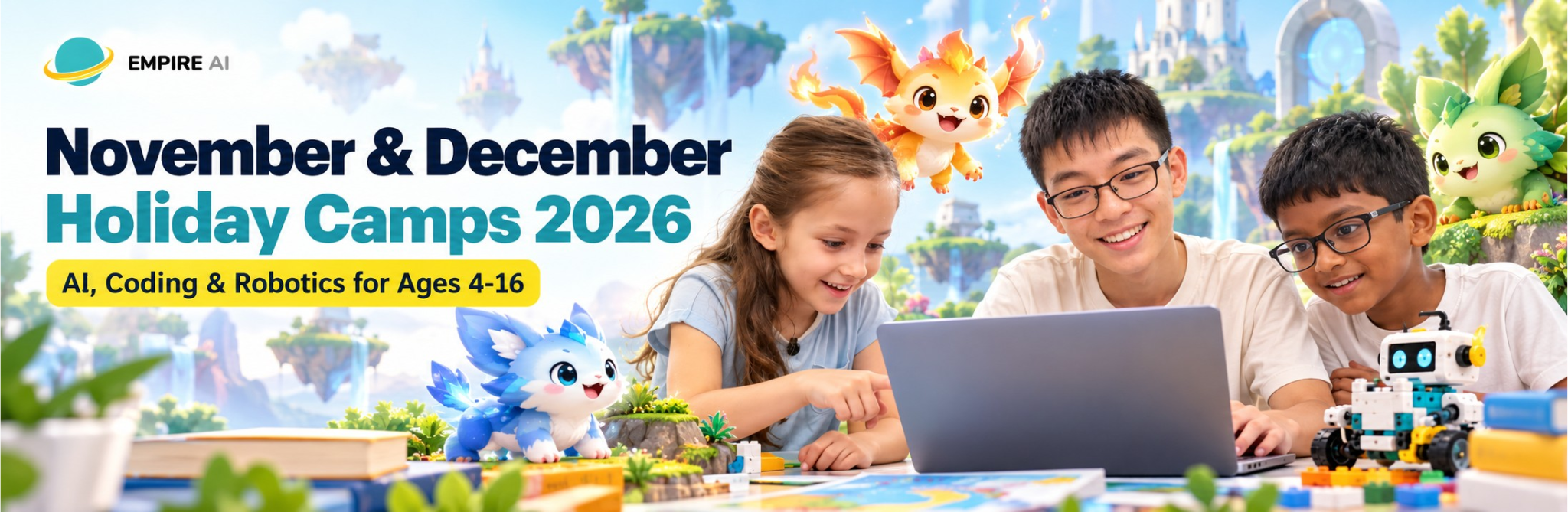
Your child invents a creature on Monday and presents it at Friday Market Day.
November & December 2026 Holiday Camps for Kids in Singapore – Coding, Robotics & AI for Ages 4-16
Five-day holiday camps for kids across the MOE year-end school holidays and the international school Christmas break, at Novena and River Valley. From Monday to Thursday your child builds a robot, a game or an AI project around a creature they invented. Friday is Market Day: they brand their project, design a logo and a marketing poster, and present it to their classmates. Capped at 8 children per trainer, and no coding experience needed.
🍱 Full-day option: book a morning and an afternoon camp in the same week for 10% off, with lunch provided. How it works
Google Reviews




Why parents choose Empire AI for the December school holidays
MOE-registered and teaching since 2016, with more than 20,000 students taught across Singapore and the region. Our year-end holiday camps give your child something to show for the break: a project they built, and the confidence to present it.
One creature theme for every age
Every camper invents an original creature on Day 1. Preschoolers code it into a robot adventure, primary school kids build a game around it, and teens code a full battle game, train an AI model or 3D-print it.
Friday is Market Day
Children brand their project, design a logo and a marketing poster, then present it to their classmates. Parents are welcome to join for the last 30 minutes on Friday.
Small classes at two centres
Every camp is capped at 8 children per trainer and runs at both Novena and River Valley. Pick whichever centre is closer to home.
DSA & portfolio ready
Every camp ends with a real project, a Market Day poster or pitch deck, and a Certificate of Completion, all useful for DSA and international school applications.
Choose a year-end holiday camp by age
All camps are beginner-friendly, run Monday to Friday and are held at both Novena and River Valley. Jump to your child’s age group:


November and December 2026 school holidays: MOE and international school camp weeks
The MOE year-end school holidays run from Saturday 21 November to Thursday 31 December 2026. International schools break for Christmas between mid and late December, so we’ve added a January week for schools that are still on holiday then. Every week runs Monday to Friday at both Novena and River Valley.
1.30 pm – 4.00 pm
Make it a full-day camp: 10% off, with lunch provided
Book one morning camp and one afternoon camp in the same week to get 10% off, and your child stays with us for lunch in between. Lunch is provided for full-day campers. Halal and vegetarian options are available at Novena, and limited at River Valley, so please tell us about any dietary needs when you register.
Singapore MOE families: camps double as a DSA portfolio booster. International families: English-medium, taught on KUBO, Scratch, Minecraft Education, Procreate, Roblox Studio, Arduino, Unity and Blender.
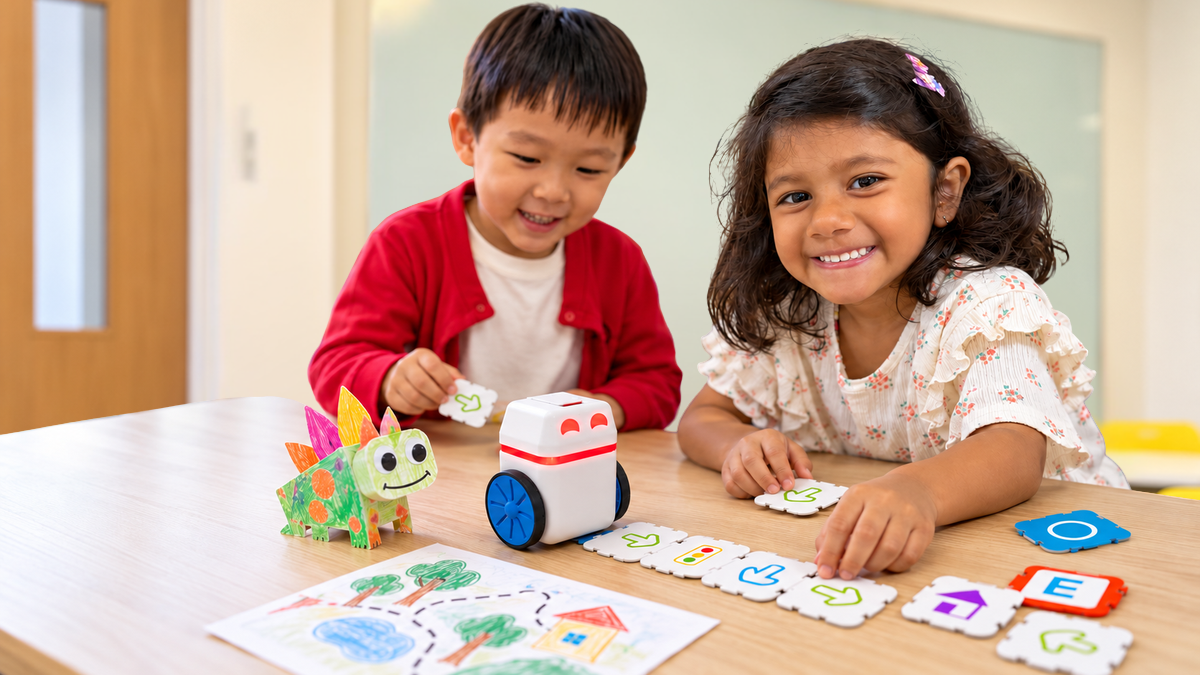
Screen-free coding and robotics for preschoolers
Creature Robot Lab
Ages 4 to 6 · Screen-free coding with KUBO robots
Your child invents their own creature, with a name, a sound and a special power, then codes a KUBO robot to carry it through a story. KUBO is a screen-free coding robot, so little ones learn sequences and loops with their hands instead of a tablet.
- Day 1: Invent a creature and meet KUBO, the coding robot.
- Day 2: Code KUBO to carry the creature through a story map.
- Day 3: Loops: program the creature’s special-move dance, then build its habitat.
- Day 4: A rescue mission map that uses everything from the week.
- Friday Market Day: A crayon poster for their creature, then a one-line intro and a KUBO demo for their classmates.
Coding, robotics and digital art holiday camps for primary school kids
Ages 7-12 can also join 3D Printing with Tinkercad & Blender (from age 7) and Prompt Engineering for AI Builders (from age 10), listed under the secondary school camps below.
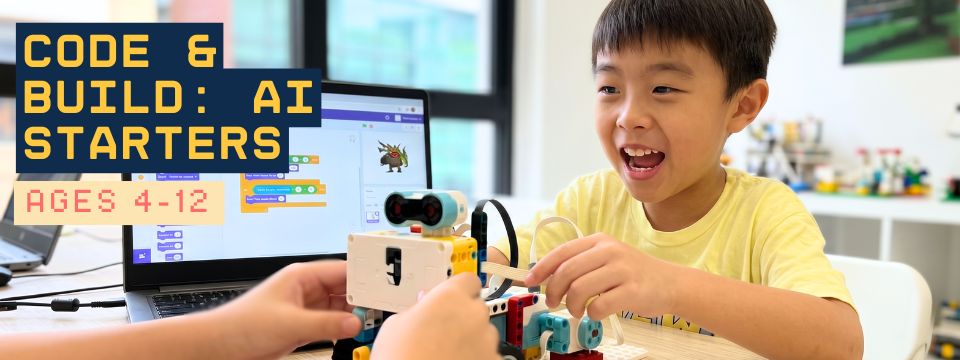
Code & Build: AI Starters
Ages 4 to 12 · Coding, AI Tools & LEGO Robotics · ScratchJr / Tynker / Scratch + LEGO
Our flagship coding and robotics camp. Kids code their own games in ScratchJr, Tynker or Scratch, then bring them to life with LEGO robotics and real AI tools – block-based programming, hands-on building and AI exploration in one.<
- Coding concepts: Sequences, loops and events through progressive projects.
- Stories & games: Build interactive mini-games in ScratchJr, Tynker or Scratch.
- LEGO robotics: Build and program real robots to move, sense and respond.
- AI tool exploration: A first hands-on taste of everyday AI tools.
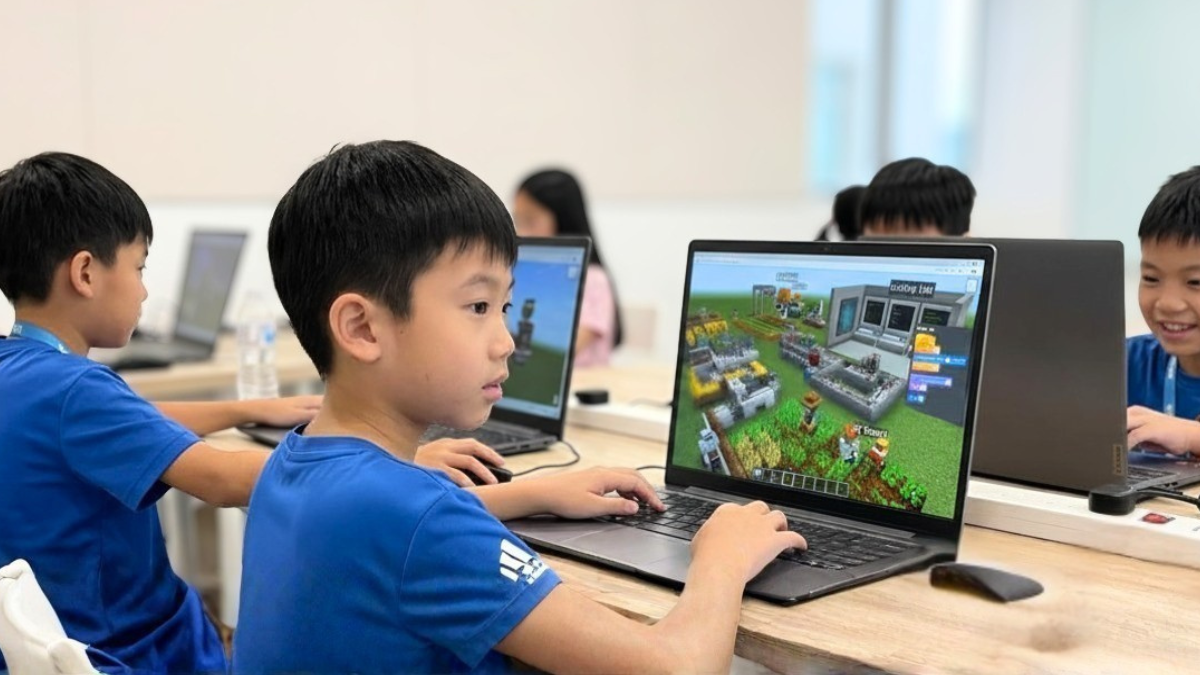
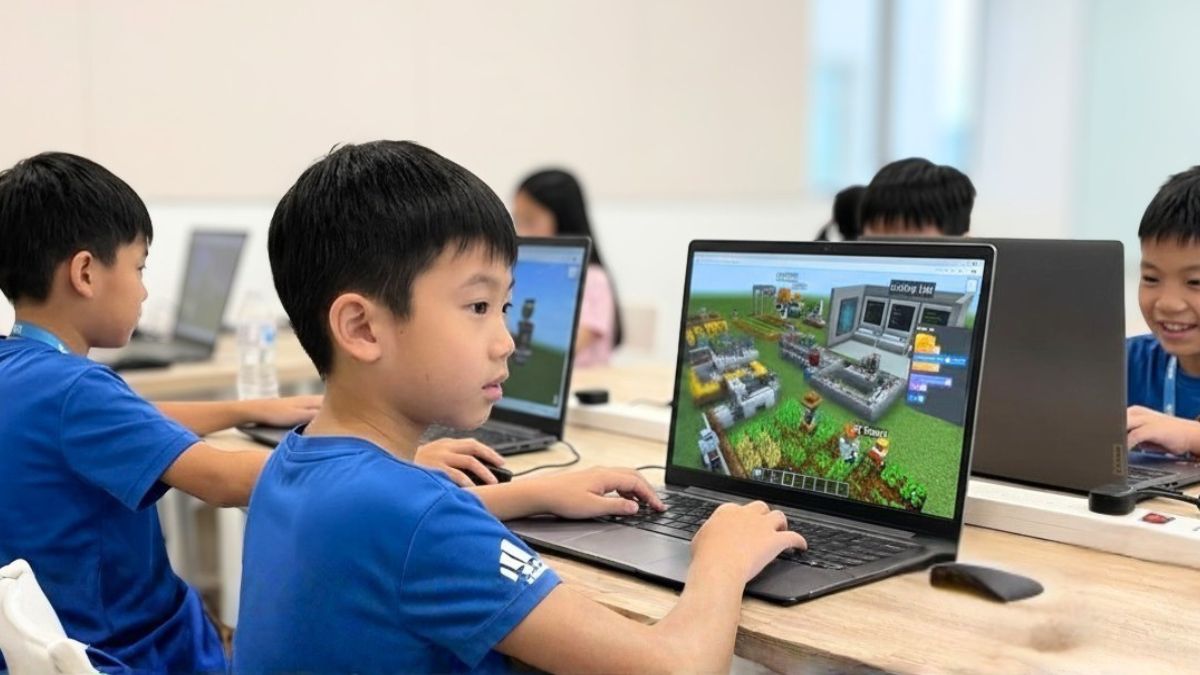
Minecraft with STEAM & AI: Creature World
Ages 7 to 9 · Build, code and design with AI in Minecraft Education
Using Minecraft Education, your child builds a world for the creature they invented and codes how it behaves. They go beyond playing the game into real block-based programming, with AI behaviours that make the creature react to players.
- Day 1: Design the creature and build its home world.
- Day 2: Block-based coding: sequences, loops and events to move things around the world.
- Day 3: Code the creature as a character that responds to players, with if-then logic.
- Day 4: Game mechanics: scoring, a win condition and a challenge for classmates, then test-play.
- Friday Market Day: Brand the world as a theme park, design its poster and present it to classmates.
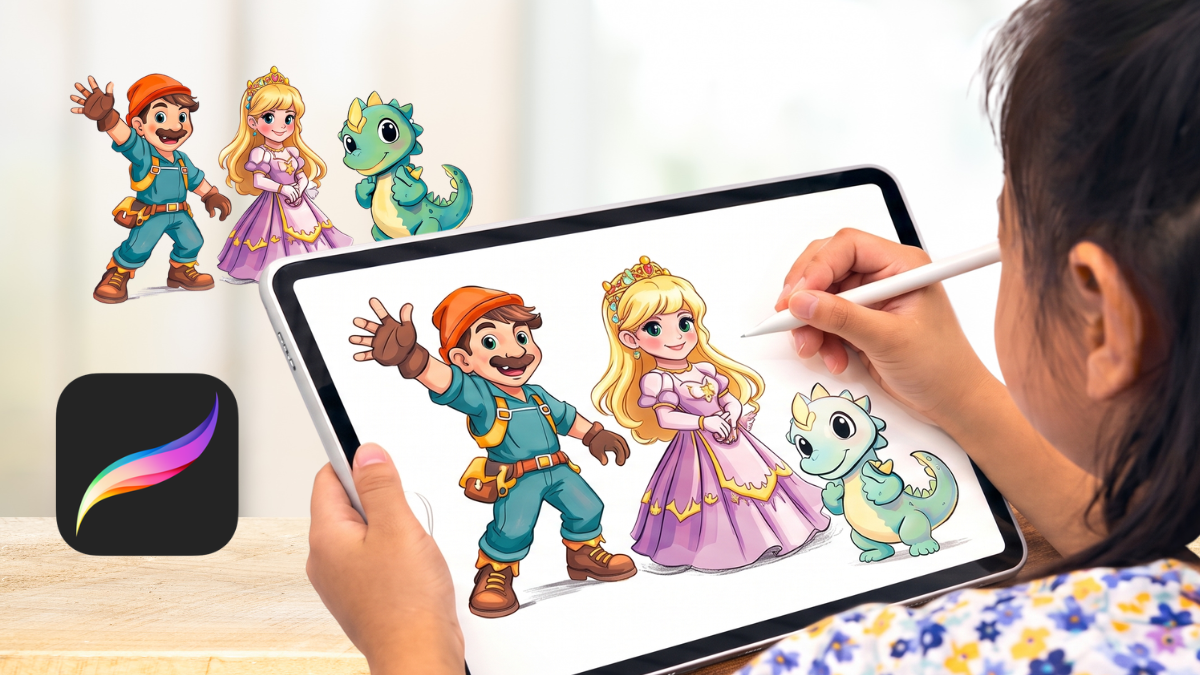
Digital Art with Procreate
Ages 7 to 12 · Draw and design your own creature on iPad
Your child brings their creature to life in Procreate on iPad. Through hands-on projects they learn drawing techniques, character design and digital colouring, and finish with artwork they can put in a portfolio.
- Day 1: Draw with Procreate: sketch and layer digital artwork on iPad.
- Day 2: Character design: turn their creature into an original, expressive character.
- Day 3: Colour digitally: shading, gradients and effects with Procreate brushes.
- Day 4: Visual storytelling: a comic-style scene starring their creature, using AI image tools for ideas.
- Friday Market Day: Present the creature to classmates as a brand character, with a marketing poster and an art portfolio exported for DSA or school use.
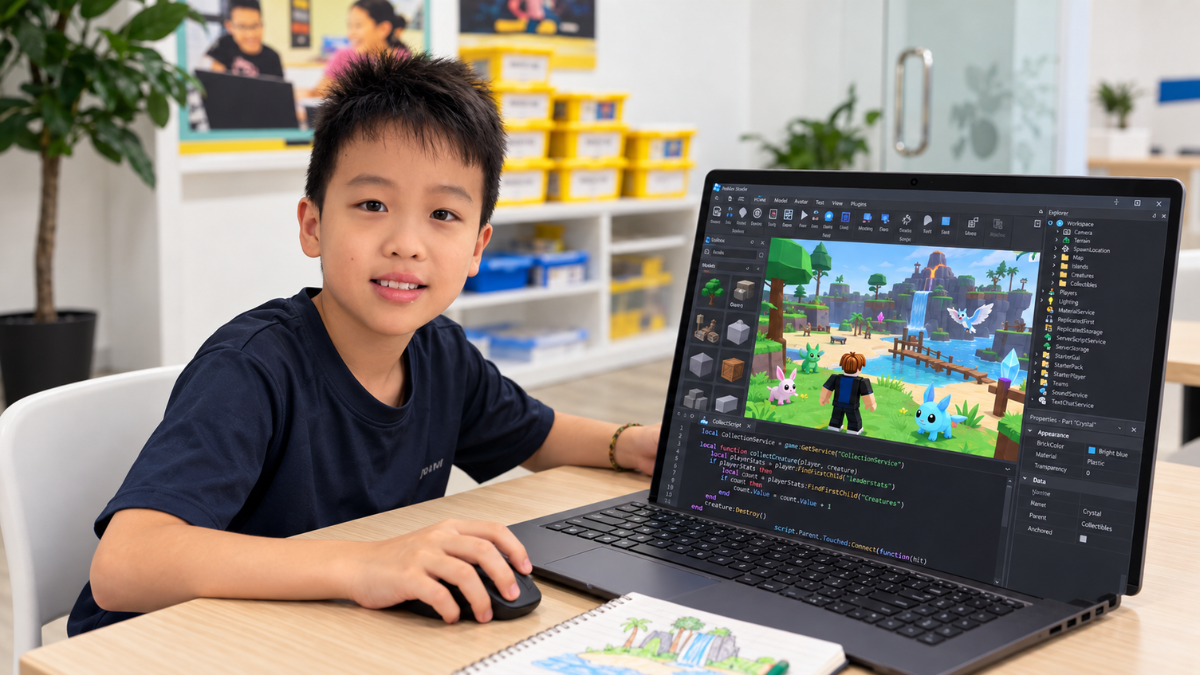
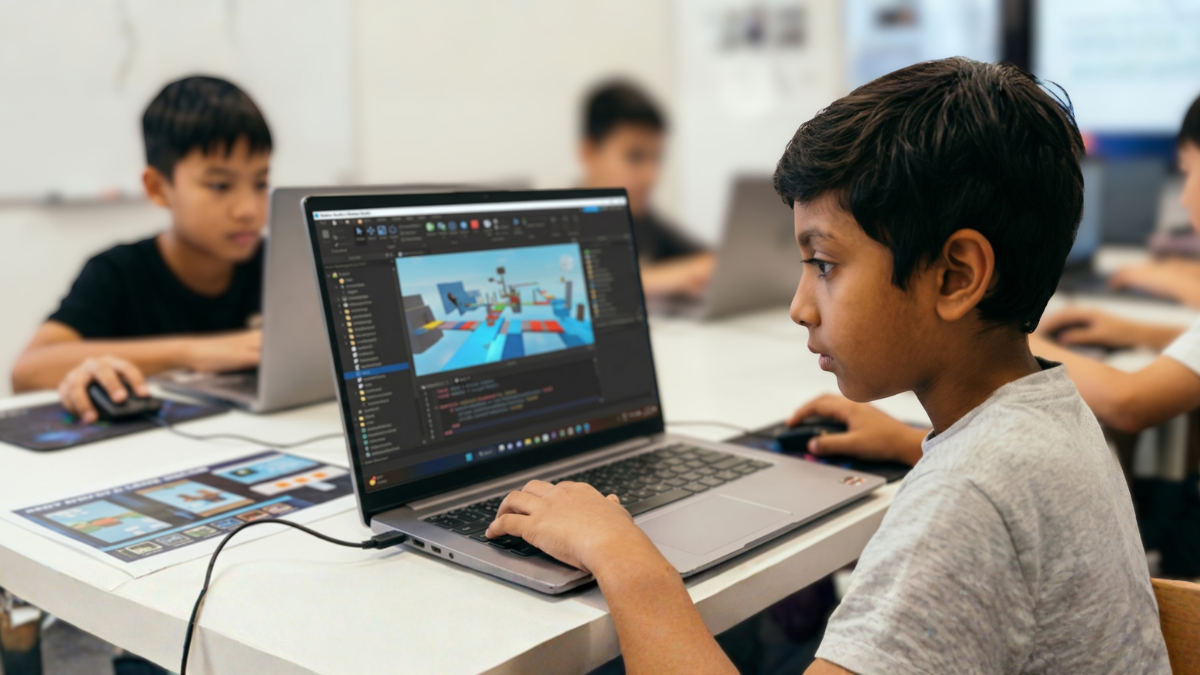
Creature Quest in Roblox
Ages 10 to 12 · Roblox Studio coding and game design
Your child builds a creature-collecting island in Roblox Studio and writes the Lua scripts that make it work. By Friday they have a playable game to share with friends.
- Day 1: Build the island: terrain, landmarks and creature models.
- Day 2: Script click-to-collect and a collection counter.
- Day 3: Evolution upgrades and a quest with checkpoints.
- Day 4: Classmates test-play the game, then fix the bugs they find.
- Friday Market Day: Name the game, design its icon and poster, and present it while classmates play.
Children under 13 need a Roblox account set up by a parent before Day 1. We’ll send the setup steps after you register.
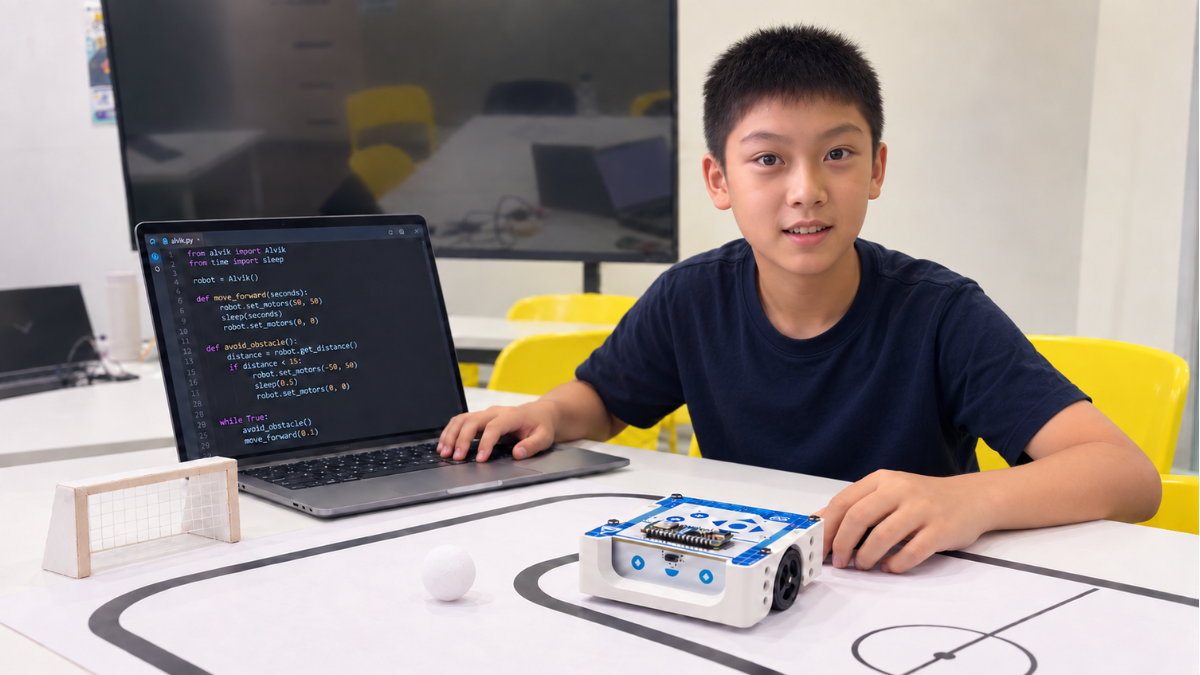
Robotics with Arduino Alvik
Ages 11 to 12 · Program a robot that moves in the real world
Using the Arduino Alvik robot and MicroPython, your child codes a robot that senses and reacts to the world around it. They progress from movement and obstacle detection to line following and an autonomous soccer challenge.
- Day 1: Arduino and MicroPython basics on the Arduino Nano ESP32, then control movement with the ToF distance sensor.
- Day 2: Line following: code and test the robot with infrared sensors.
- Day 3: Add a servo motor and code the robot to play soccer on its own.
- Day 4: Tune the code, decorate the robot as their creature and practise for the match.
- Friday Market Day: Design a logo and poster for the robot, present its skills to classmates, then play an autonomous soccer match.
Game design, AI and 3D printing camps for teens
Real tools, real code and a finished project for a DSA, scholarship or school portfolio. Every teen camp also ends with Friday Market Day.
Game Dev Camp: Build a Battle Game
Ages 13 to 16 · Code a turn-based battle game in Unity, with an AI opponent
For teens who play games and want to build one. Your teen designs a set of creatures with stats and types, balances them with real maths, and codes a turn-based battle game in Unity with C#. Then they add an AI opponent that picks its own moves.
- Day 1: Design 6 creatures with stats and a type chart, then balance them in a spreadsheet.
- Day 2: Battle logic: damage formula, type bonuses and turn order.
- Day 3: An AI opponent that chooses its moves, plus an optional image model that recognises their creature drawings.
- Day 4: Polish the game and print a card deck from its stats.
- Friday Market Day: A game studio presentation to classmates with target player and price, then a tournament with their printed decks.

AI & Machine Learning Fundamentals
Ages 13 to 16 · Understand, train and test real AI models
Our most technical camp shows teens how AI actually works. Using Python, no-code ML tools and real datasets, they train models, try tasks like image classification and get a working grasp of neural networks. Best for students ready for a deeper technical level.
- AI & ML concepts: Supervised and unsupervised learning, classification and prediction.
- Python for AI: Load data, train models and check how accurate they are.
- Model training: Teachable Machine and scikit-learn, including a model that sorts creature drawings by type.
- AI ethics: Bias, fairness and responsibility in real AI.
- Friday Market Day: Present the model to classmates as a product: who it helps, how well it works and where it gets things wrong.

Prompt Engineering for AI Builders
Ages 10 to 16 · Learn to give AI clear instructions that get real results
Students move past basic ChatGPT, Gemini and Midjourney use into real prompt engineering: structuring instructions that produce good text, images and code, and checking what the AI gets wrong.
- Prompt foundations: How language models read instructions and why wording matters.
- Text & creative prompting: Stories, scripts and marketing copy.
- Code generation: Prompt AI to write, explain and debug code.
- Real AI project: A chatbot, an image series or a creature card generator.
- Friday Market Day: Launch the AI project with a name, an AI-made marketing poster and a live demo for classmates.
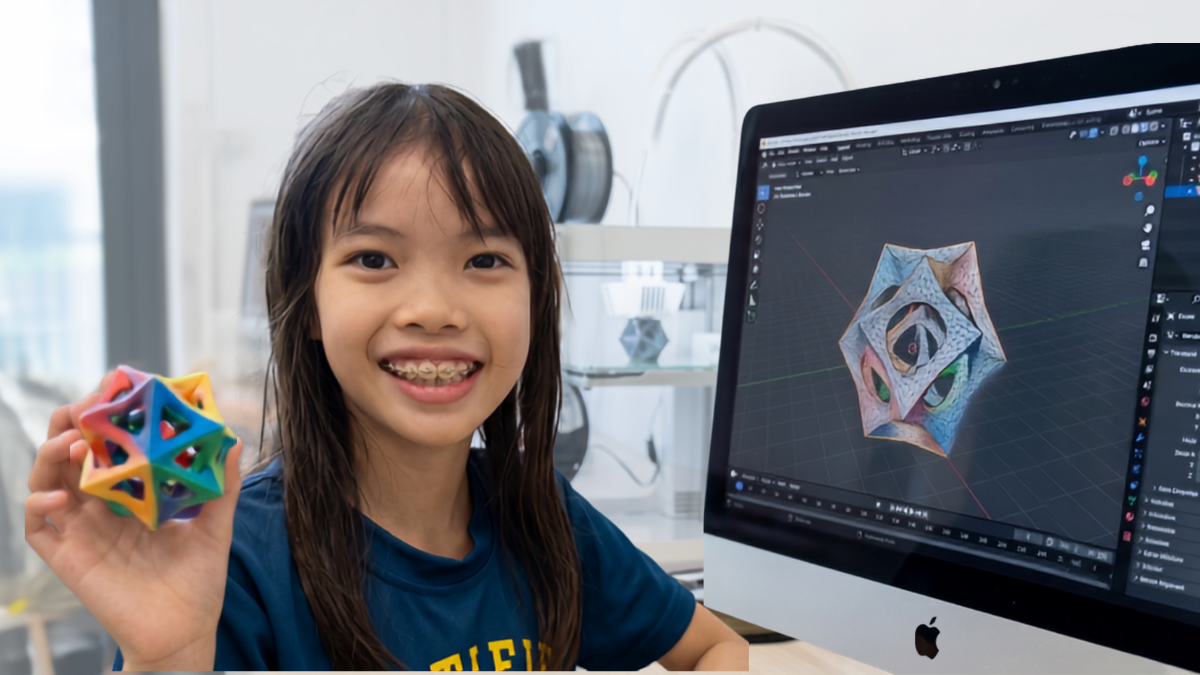
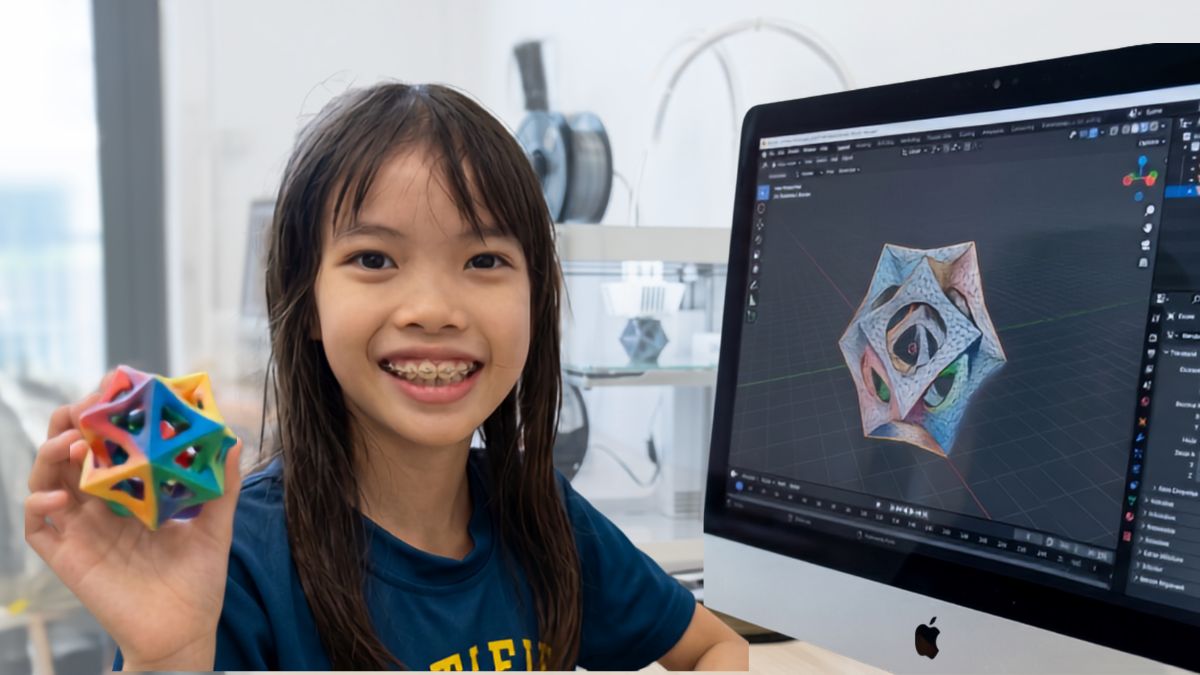
3D Printing with Tinkercad & Blender
Ages 7 to 16 · Design and 3D-print your own creature figure
Your child designs their creature as a 3D model and prints it on our in-house printer, with the software matched to their age. Younger makers use Tinkercad’s drag-and-drop design, and older students step up to Blender with AI tools to speed up modelling.
- 3D modelling basics: Shape, scale, proportion and design intent.
- Tinkercad or Blender: The right tool for your child’s age and level.
- Design to print: Prepare the file and 3D-print it in class.
- Take-home project: A printed creature figure your child designed from scratch.
- Friday Market Day: Brand the figure as a toy product, design its poster and present it to classmates.
Friday Market Day: turn the project into a product
On Friday your child turns their project into a product. They give it a name, design a logo and a marketing poster, then present it to their classmates, starting with a partner, then a small group, then the whole class. It’s the confidence and communication practice a DSA or school interview needs, and it’s part of every camp.
What Market Day looks like at each age
- ▸Ages 4-6: A crayon poster, a one-line intro to their creature and a KUBO robot demo.
- ▸Ages 7-12: A 30-second presentation while classmates try their game.
- ▸Ages 13-16: A studio-style presentation with target player and price point, a live AI demo or a printed card-deck tournament.
- ▸Take-home: A poster or pitch deck to reuse in a DSA portfolio or school interview.
Come and watch your child present their project, if your schedule allows. We’ll confirm the exact time when you register.
Every camper goes home with a gift
A sealed card pack for ages 7 to 16
On Friday, every camper aged 7 and above (Primary 1 onwards) takes home a sealed pack of official Pokémon TCG 30th Celebration trading cards.
Crayola art pack for ages 4-6
Preschoolers in Creature Robot Lab take home a Crayola art gift pack worth $15.
Handed out at the end of Friday
Gifts are given out after Market Day, together with a printed card of the creature your child invented. Please keep your child’s own trading cards at home during camp week so nothing gets lost.
Pokémon is a trademark of its respective owners. Empire AI is not affiliated with, sponsored by or endorsed by them. Camp projects use original creatures that the children invent.
Simple, transparent camp pricing
Every camp is 5 days and 12.5 hours, including Friday Market Day. Bring your own device and pay $430, or $500 with an iPad or laptop provided. Every camper gets a Certificate of Completion, plus a trading card pack (ages 7+) or a Crayola art pack worth $15 (ages 4-6).
Single Camp
- One Mon-Fri camp at Novena or River Valley
- Bring your own iPad / laptop
- Ages 4-6: screen-free KUBO robots, no device needed
- Friday Market Day included
Camp + Device Rental
- One Mon-Fri camp at Novena or River Valley
- iPad / laptop provided
- Friday Market Day included
- Best for first-time families
Save 10%
- Full-day camp: book one morning and one afternoon camp in the same week. Lunch provided (halal and vegetarian options available at Novena)
- Siblings: 10% off for all children in the same booking
- Referrals: 10% off for you AND the friend you refer. Enter the referrer’s name at registration, or WhatsApp us
Register for a November or December 2026 camp
Secure your child’s spot – classes are capped at 8 children per trainer. We reply within 1 business day, no commitment required.
⚡ $430 per camp bring-your-own-device · $500 with device rental · 10% off siblings & referrals
Book your child’s holiday camp
Fill in the form below and we’ll reply within 1 business day. No commitment required.
November & December 2026 holiday camp FAQ
Camp logistics & practical details
How big are the classes?
Small on purpose. Every camp is capped at 8 children per trainer, so your child is seen and helped, not lost in a crowd.
What time should we arrive?
Please drop off 10 minutes early: 9.20am for morning camps, 1.20pm for afternoon ones.
What should my child bring?
An iPad or laptop, a snack and a water bottle. Minecraft and Arduino need a laptop, and Procreate needs an iPad. No spare device? Choose the with-device package ($500) and we’ll provide one. Creature Robot Lab (ages 4-6) uses our KUBO robots, so no device is needed.
Can my child do a full-day camp?
Yes. Book one morning camp and one afternoon camp in the same week to get 10% off, with lunch provided in between. Halal and vegetarian options are available at Novena, and limited at River Valley, so please let us know about any dietary needs when you register.
What if my child is sick and misses a day?
No problem. Just let us know and we’ll arrange a replacement class.
What is your refund policy?
Fees are non-refundable, but if your plans change you get one free reschedule to another available week.
Dates & school calendars
When are the Singapore school holidays in November and December 2026?
The MOE year-end school holidays run from Saturday 21 November to Thursday 31 December 2026. Our camp weeks start on 23 November, 30 November, 7 December and 14 December, Monday to Friday, at both centres. There’s also a week from 4 January 2027 for international school families.
Are there coding camps in the December holidays?
Yes. All 10 camps run in the weeks of 7 and 14 December, as well as the two late-November weeks. Each one covers coding, robotics, AI, digital art or 3D printing, and ends with Friday Market Day.
When does the Christmas or winter break start at international schools in 2026?
It depends on the school. Tanglin Trust School, Dover Court, Australian International School, ISS, Brighton College, Invictus and EtonHouse Orchard break by 14 December, so our week of 14 December fits them. Singapore American School, Stamford American, UWCSEA, Canadian International School and GESS break later and are still on holiday in early January, so our week of 4 January 2027 suits them. Please check your school’s own calendar, or WhatsApp us at +65 8145 5004 and we’ll check the dates with you.
Ages & levels
What age can my child start coding and robotics?
From age 4. Creature Robot Lab uses KUBO, a screen-free coding robot, so preschoolers learn sequences and loops by hand, without a tablet. From age 11, Robotics with Arduino Alvik moves on to coding a real robot in MicroPython.
Are these camps suitable for P1 to P6 students?
Yes. Monster Makers in Scratch and Minecraft with STEAM & AI suit ages 7-9, Digital Art with Procreate suits 7-12, Creature Quest in Roblox suits 10-12 and Robotics with Arduino Alvik suits 11-12. 3D Printing (from 7) and Prompt Engineering (from 10) are also open to primary school children. Each camp is age-banded so the level fits your child.
Do you have a Minecraft camp in the December holidays?
Yes. Minecraft with STEAM & AI: Creature World is for ages 7-9 and runs every camp week at both centres. Your child builds a world in Minecraft Education and codes how their creature behaves. Please bring a laptop, or choose the $500 package and we’ll provide one.
Do you have holiday camps for teenagers or secondary school students?
Yes. Ages 13-16 can choose Game Dev Camp: Build a Battle Game, AI & Machine Learning Fundamentals, Prompt Engineering for AI Builders or 3D Printing with Tinkercad & Blender. Each ends with a project that suits a DSA, scholarship or school portfolio.
Is there a camp where my teenager can learn how to make a game?
Yes, Game Dev Camp (ages 13-16). Your teen designs creatures with stats and types, codes a turn-based battle game in Unity with C#, adds an AI opponent, and prints a card deck from the game’s stats for a Friday tournament.
My child has no prior coding or AI experience. Can they still join?
Yes. All 10 camps are beginner-friendly. Robotics with Arduino Alvik, Game Dev Camp and AI & Machine Learning Fundamentals are pitched a little higher, so they suit children who are keen on a technical challenge.
Do the camps count for DSA portfolio applications?
Yes. Every camp ends with a real project, a Market Day poster or pitch deck, and a Certificate of Completion, which your child can use as evidence for a STEM-track DSA application.
Friday Market Day & gifts
What is Friday Market Day?
Day 5 of every camp. Your child brands their project, designs a logo and a marketing poster, and presents it to their classmates. It’s included in the camp fee, with no extra charge.
Is Market Day a public speaking class?
It works like one, without the pressure. Children focus on presenting something they made, and the speaking practice comes with it: eye contact, voice, posture and a clear message. They build up from presenting to a partner to presenting to the whole class.
Can parents come to Market Day?
Yes, parents are welcome for the last 30 minutes on Friday, if your schedule allows. We’ll confirm the exact time when you register.
What gifts does my child get?
Campers aged 7 and above get a sealed trading card pack, and preschoolers aged 4-6 get a Crayola art gift pack worth $15. Every child also takes home a printed card of the creature they invented. Gifts are handed out at the end of Friday.
Does my child need to be a fan of trading cards to enjoy the camp?
No. The camps teach coding, robotics, AI and 3D printing through original creatures the children invent. The card pack is a gift on the last day for ages 7 and above, not part of the lessons.
General
Where are the camps held?
Novena: Goldhill Shopping Centre, 151B Thomson Road, Level 3, next to Velocity@Novena Square, 5 mins from Novena MRT.
River Valley: 8 Mohd Sultan Road, #03-01, near UE Square and Robertson Quay.
How much do the camps cost?
$430 per camp, or $500 with an iPad or laptop included. Creature Robot Lab (ages 4-6) is $430 with no device needed. Every camp is 5 days and 12.5 hours, including Friday Market Day. Book a morning and an afternoon camp in the same week for 10% off, with lunch provided. Siblings get 10% off, and referrals earn 10% off for you and the friend you refer.
Will my child receive a certificate?
Yes, a Certificate of Completion backed by a real project they built. It works for both DSA portfolios and international school applications.
How do I register and secure a spot?
Use the form above or WhatsApp us at +65 8145 5004. Spots are limited because classes are capped at 8 children per trainer, so early registration helps, especially for the week of 14 December when local and international school holidays overlap.